 Made together
MAKE SOMETHING JUST FOR YOU
Jenny's blanket.
5 colours. 72 patches. All your own pattern.
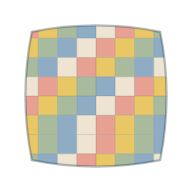
Would you like Jenny's blanket as an app on your home screen?
Pick a colour at the bottom and tap the squares. Grandma loves lots of colours ♡
Your pattern
The squares are too small to colour in on a phone. Here you can see how the embroidery will look, and share or download it. Carry on on a bigger screen when you want to keep working.
Tap a square. With a mouse you can also drag across several.
Tiny squares? Zoom in with two fingers to hit them more easily.
How the colours might look together, with knitted texture and seams.
This shows the front. Empty squares show as pale yarn. Your yarn, stitch type and tension will change the result.
Got a cool idea that's a bit tricky to draw?
Let's get your idea into the squares
A character, an animal or something all your own? AI can help you come up with a suggestion that you and Grandma can work on together.
- Describe what you have in mind. What should be in it, which colours do you like, and is it going to be a cushion or a blanket? Say roughly how big you'd like it, too.
- Copy the prompt below. Paste it into whichever AI chat you like to use. You can add a picture of what you want to make there too, if you have one.
- Pick a suggestion together with Grandma. Ask for fewer details if it ends up with lots of tiny patches. The yarn, the seams and the size of the patches all have to work as well.
- Fill it in row by row. Set up the grid here (up to 50 × 50, or 100 × 100 for embroidery), choose how many colours you need and type in the HEX codes from the answer. Turn on "Show colour letters in the squares" and follow the letter chart from the top left.
- Check it before you start. AI can miscount. Make sure the chart has the right number of rows and columns, look at the preview, and download the pattern as a PNG when you're both happy with it.
Super tip: If you subscribe to a good AI service that can use your browser for you, such as Claude in Chrome, you can even ask it to fill in the whole pattern here on the page. Do check the result before you start.
For example: a Super Mario cushion. A good place to start is the face and the red cap, a calm background and colours that are easy to tell apart. On a 40 × 40 cm cushion, 16 × 16 squares makes 256 patches of about 2.5 cm each, before you allow for seams. That's a lot of small pieces! So ask for one simple version and one with more detail, and let Grandma help choose.
Get it as an app on your phone
You'll get its own icon on your phone, just like any other app. Pick the steps that match your phone.
iPhone
- Open the page in Safari or Chrome.
- Tap the Share button: the square with an arrow pointing up. In Safari it's at the bottom (if you can't see it, tap ••• first). In Chrome it's at the top right, next to the address.
- Choose Add to Home Screen, then tap Add.
Samsung
- Open the page in Samsung Internet, the purple app.
- Tap the menu ≡ at the bottom right.
- Choose Add page to, then Home screen.
Other Android phones
- Open the page in Chrome.
- Tap the three dots ⋮ at the top right.
- Choose Install app or Add to Home screen.
If you use Chrome on a Samsung, follow the steps for other Android phones. This is still an early version, made for the family. Your patterns are only kept on your phone, so share them or download a PNG of the ones you love.